Hosting Provider Operations
The hosting service provider bears responsibility for the care and feeding of the hosting environment, including:
- resource allocation
- availability
- backup and recovery
- reseller and customer account provisioning
The first three items are straightforward for infrastructure providers (you are doing this already); the item is not. This document serves to help.
Create an Account
- Sign in to WHM
- In the left hand navigation panel, navigate to and select WHM > Home > Account Functions > Create a New Account (you may also use search to speed things up)
The Create a New Account screen features six sections:
- domain information
- package
- settings
- mail routing settings
- reseller settings
- DNS settings
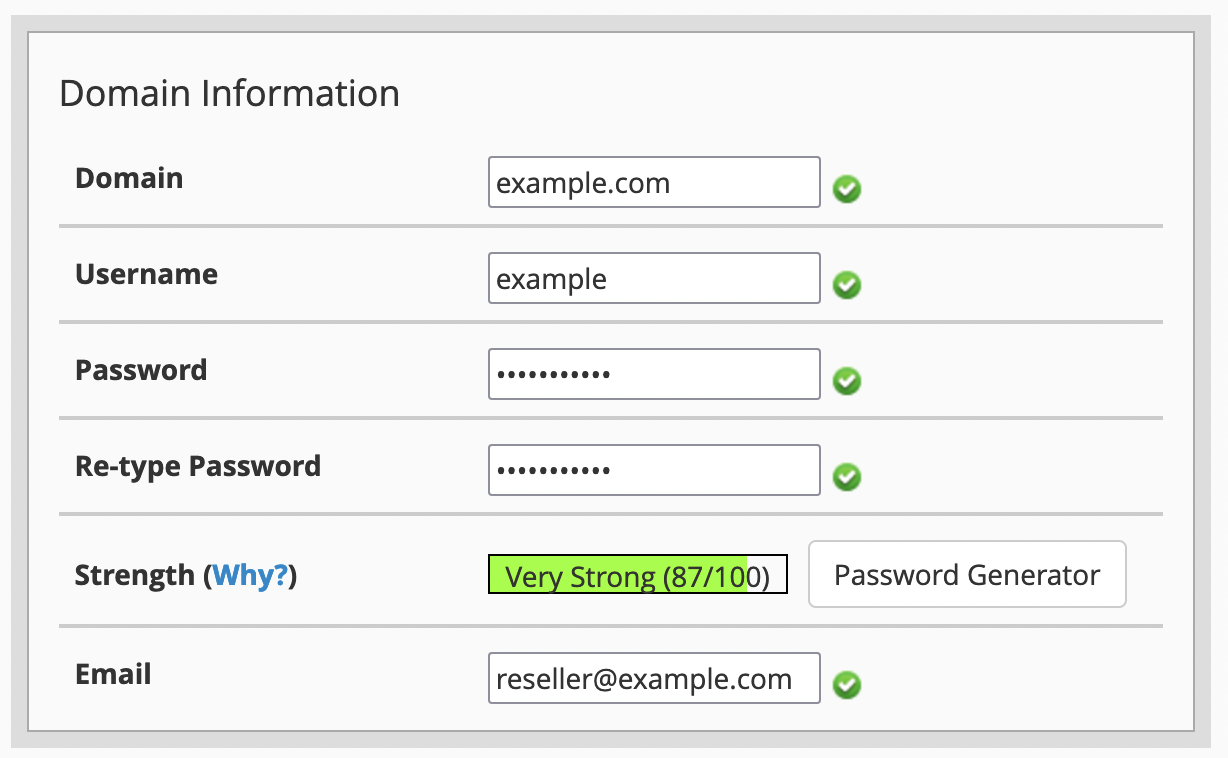
Domain Information
This section is fairly self-explantory.
Note
Write down the password so that you may share it with your customer; customers can perform a self-service password reset directly from the login screen if needed.
Package
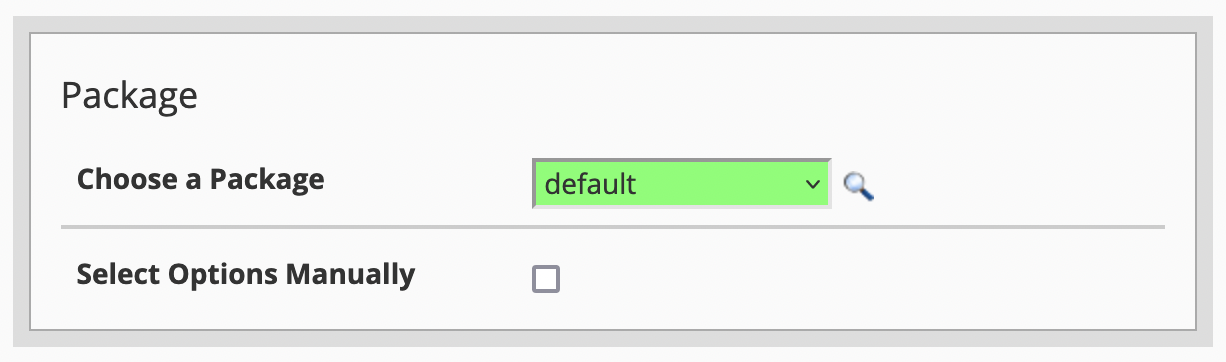
The Default package contains nearly all available features. Additional packages may be defined as needed by navigating to WHM > Home > Packages > Feature Manager.
Note
AutoSSL, API Shell, Email hosting, and DNS zone management are disabled. This is done to ensure customers follow best practices and helps to reduce the attack surface area of the hosting infrastructure.
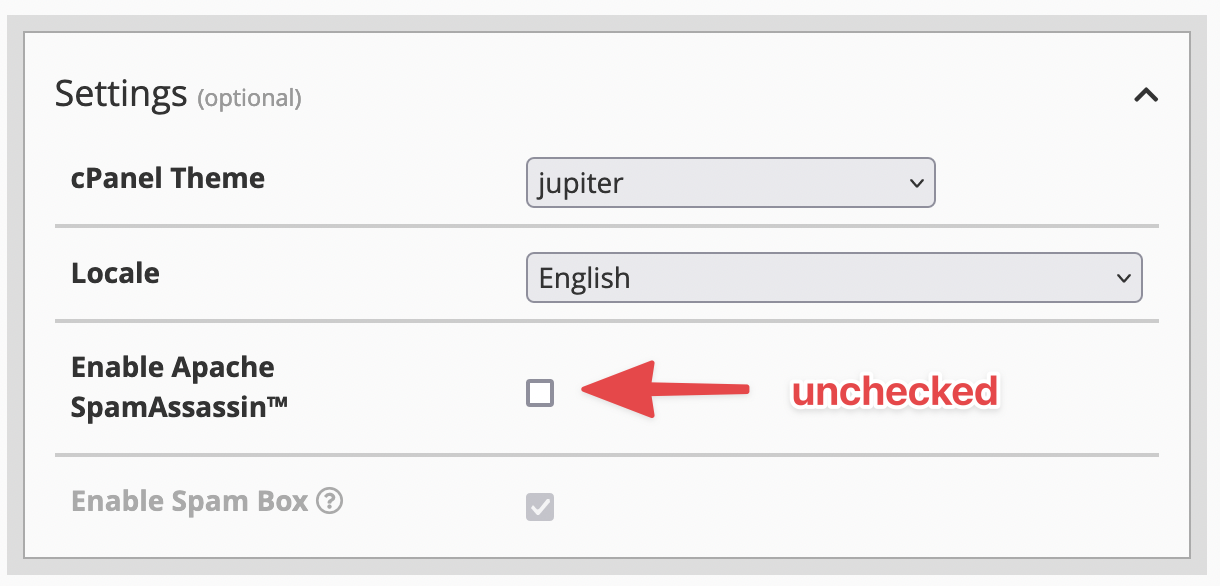
Settings
Mail Routing Settings
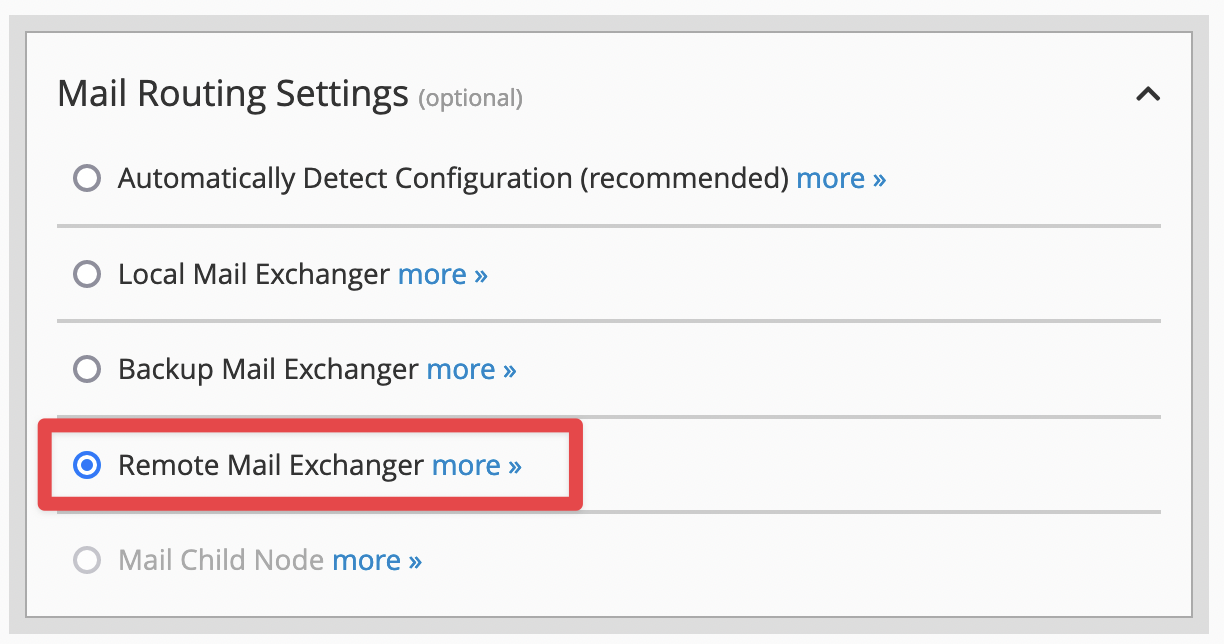
Danger
Ensure Remote Mail Exchanger is selected. Selecting any other option will create deliverability issues for applications trying to send email.
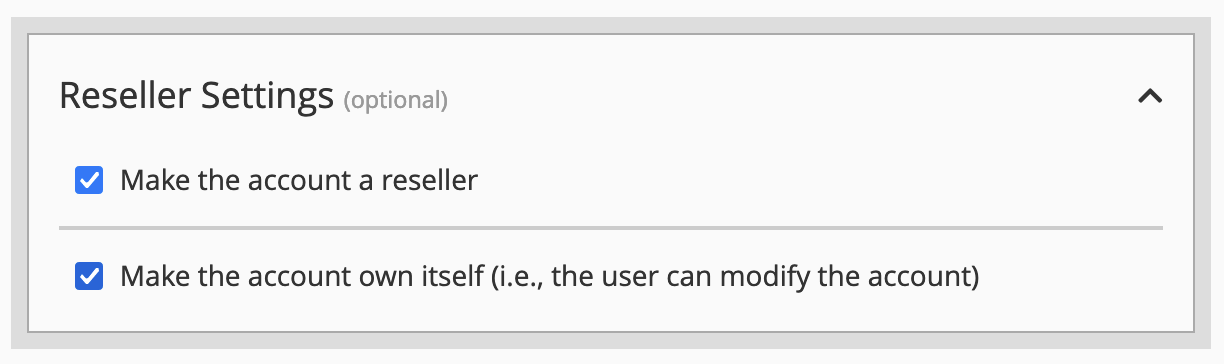
Reseller Settings
If you are provisioning a reseller, ensure the options are set as follows:
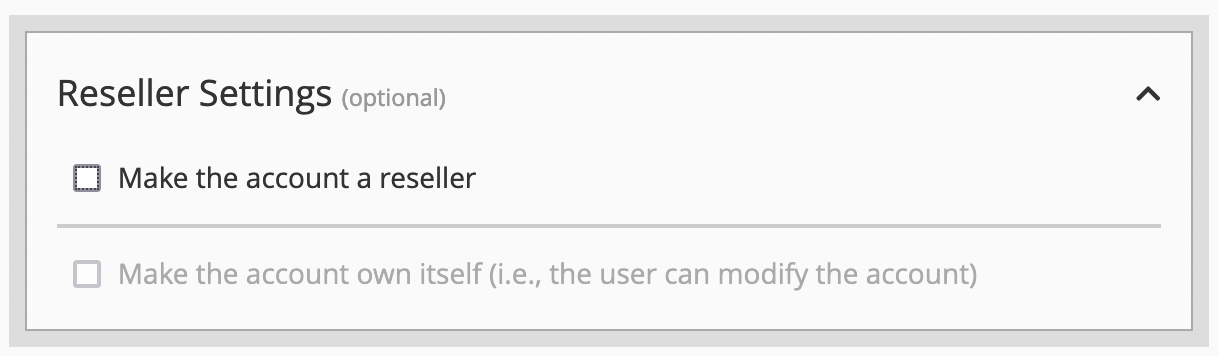
If you are provisioning a standard customer, ensure the options are set as follows:
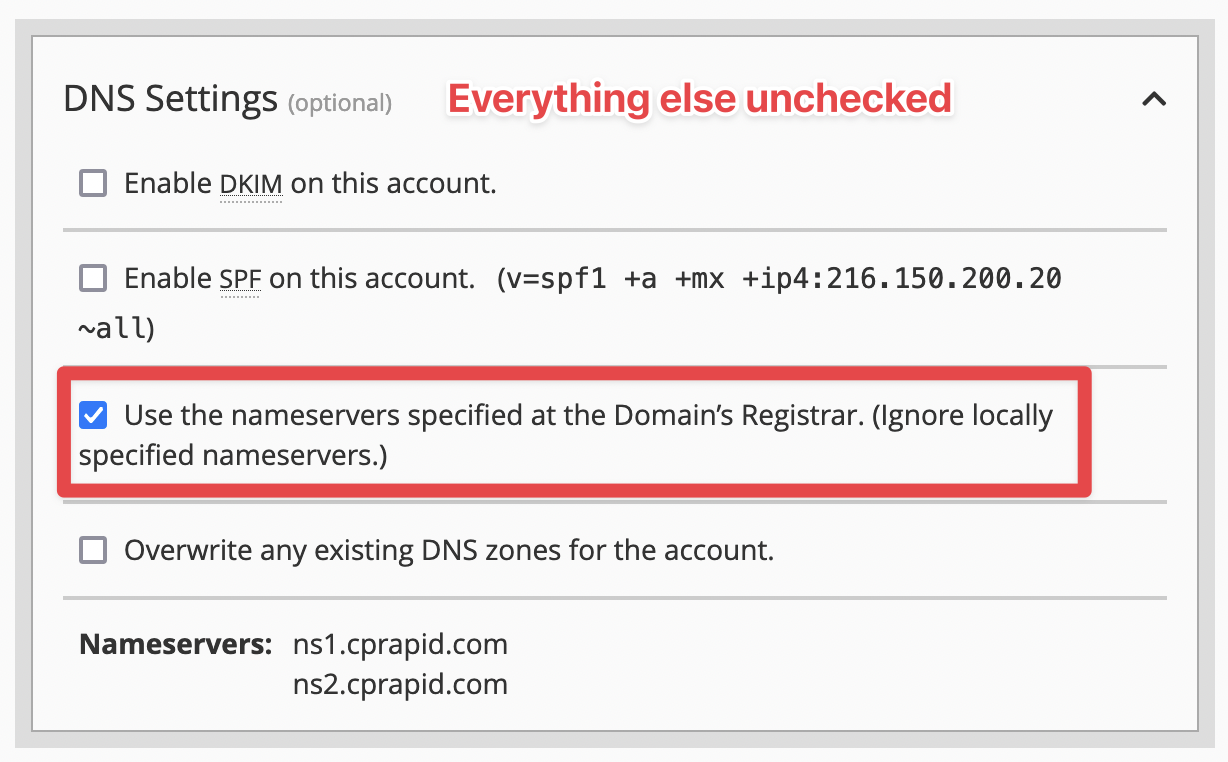
DNS Settings
The screenshot says it all. Do not deviate.
Setting Reseller Privileges
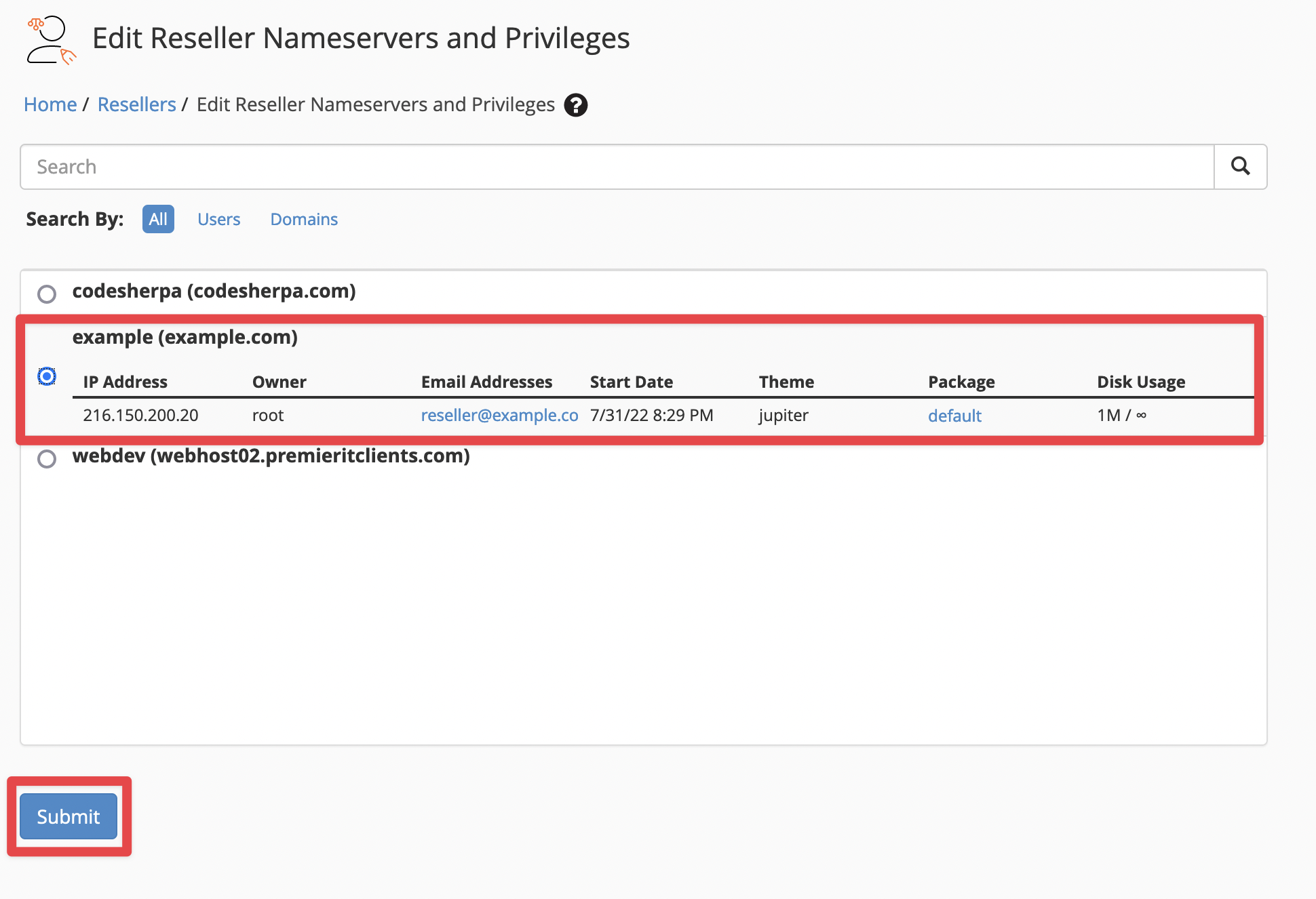
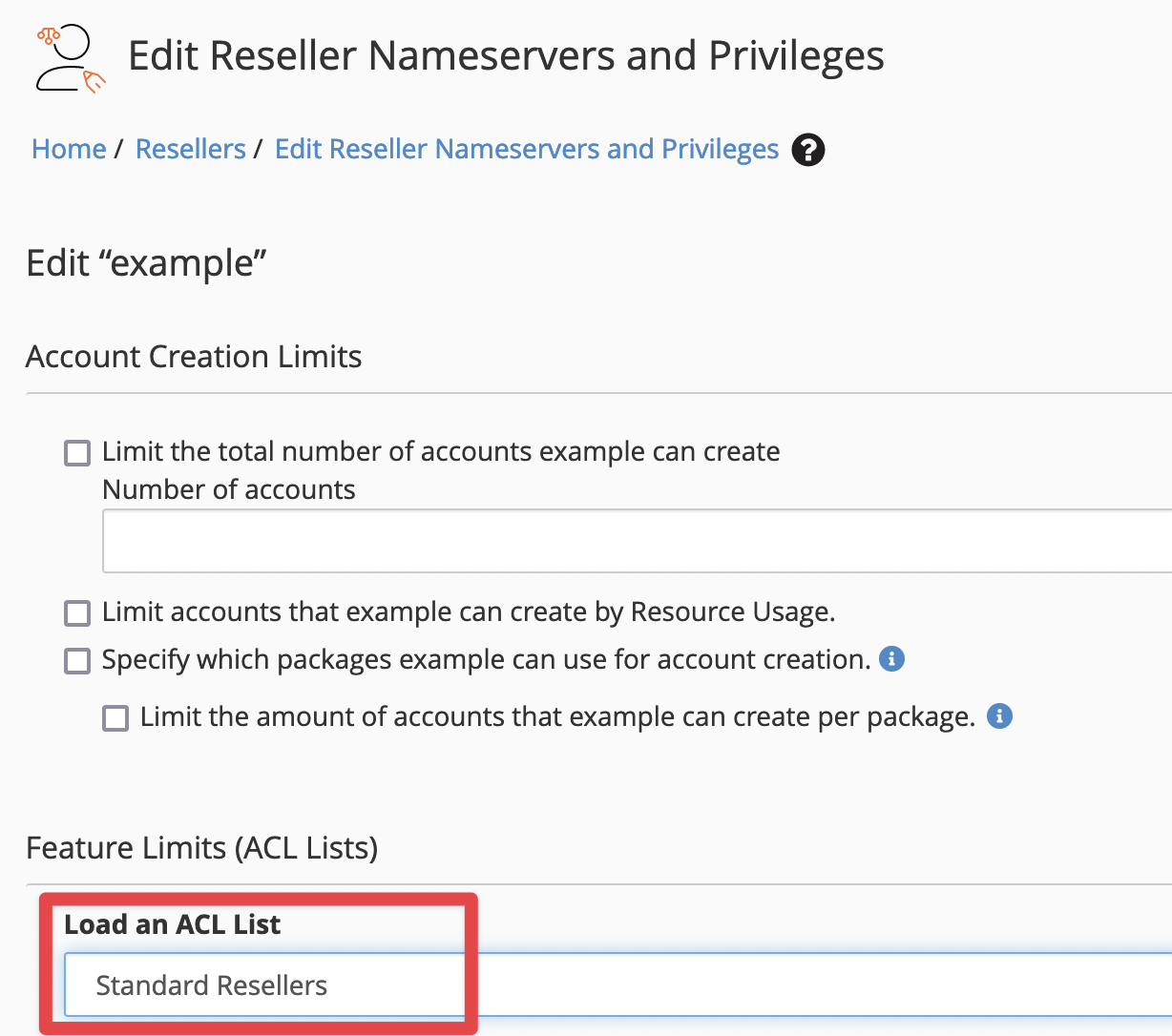
cPanel assigns Intial Privileges for all newly provisioned reseller accounts. Unforunately, this set of privileges in insufficient for performing any meaningful reseller actions. Navigate to WHM > Home > Resellers > Edit Reseller Nameservers and Privileges.
Once on the Edit Reseller Nameservers and Privileges page, select the reseller you wish to modify and click Submit.
On the Edit screen, locate the Feature Limits (ACL Lists) section. Select the dropdown under the Load an ACL List label and choose Standard Resellers. This will apply the additional permissions required to make the reseller account usable.
Scroll to the bottom of the page and click the Save All Settings button to save your change.